ZenMed

Focus on patients.
ZenMed handles
the rest.

Management software for clinics, medical centers and single doctors, rebuilt from the ground up after interviews with doctors and practice owners.

zenmed.app/calendar
ZenMed weekly schedule with every specialist in the practice side by side, desktop view
ZenMed day view on mobile with the next appointment and a day summary

Three key ZenMed differentiators

Modules for your specialty

Dedicated tools and visit templates

Insurance billing

Insurers settled automatically. No spreadsheets

Reviews that work for you

Automatic Google Maps review request

Why ZenMed

Calm when running
a practice.

Doctor using the ZenMed system on a laptop
Uninterrupted clinic work
No gaps after cancellations
No long-term contract
No hidden fees
Setup and migration included
GDPR compliant
What you get

Seven core tabs for
the daily work of your practice.

See the full feature catalogue

01 of 07

Visit form and EHR

Everything a doctor needs during a visit, in one window.

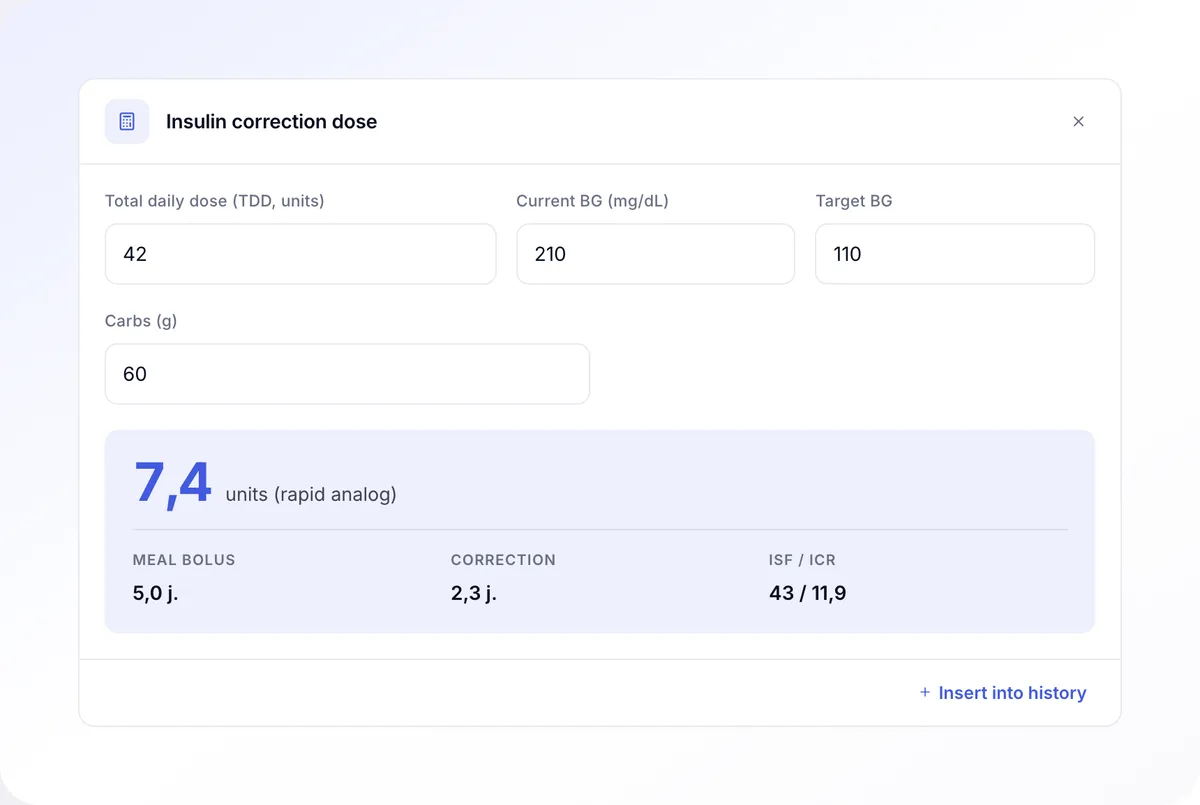
  • Visit template tailored to specialty (gynecology, pediatrics, dentistry, psychiatry, cardiology).
  • e-prescription, e-referral, electronic sick leave in one window, without leaving the patient record.
  • Tablet-based consent and document signing for compliance.
  • Average 5-8 clicks from opening the patient to issuing an e-prescription.
ZenMed visit form mid consultation, with history and examination filled in and medical tools alongside

02 of 07

Day plan

The whole day on a single timeline. Each doctor sees their own schedule.

  • Today's visits on a timeline: patient, visit type, time and status.
  • Nearest visit highlighted with one-click actions: start visit, call the patient.
  • Day summary: visit count, total time and revenue.
  • Filter by status and add a new visit without changing the screen.
ZenMed day plan - list of today's visits on a timeline with day summary (visit count, time, revenue)

03 of 07

Calendar

Appointment calendar for the whole practice in one view.

  • Drag appointments between slots, times and specialists.
  • Waitlist and automatic slot suggestions for the patient.
  • Conflicts (double bookings, time-off, blocks) detected in real time.
  • Views: day, week, month, by doctor, by room, by specialty.
ZenMed weekly schedule with a view of all specialists in the practice, drag-and-drop appointments, conflict detection and a waitlist

04 of 07

Patient profile

Full patient history in one place: visits, documents, e-prescriptions, invoices, commissions.

  • Visit history with notes and attachments.
  • Patient documents: GDPR consents, e-prescriptions, e-referrals, electronic sick leave.
  • Per-doctor commissions, payouts, e-invoices.
  • Insurer tags and auto-invoicing in the right billing mode.
ZenMed patient profile with the next appointment, visit history and consents to sign

06 of 07

Insurance billing

Every insurer you work with in one module.

  • Tag patients by payer: insurer, private, public.
  • Automatic e-invoicing per insurer with the correct billing codes.
  • Monthly billing reports ready to send.
  • Saves reception 10-15 hours per month.
ZenMed insurance billing report showing a monthly breakdown per payer with automatic e-invoicing

07 of 07

Operational reports

Every month you see the real numbers of the practice, without manual spreadsheets.

  • Revenue, costs, margin per doctor, no-show rate in one dashboard.
  • Month-over-month and year-over-year charts.
  • Export to CSV and PDF for accounting and the owner.
  • Scheduled reports (e.g. last day of the month) sent by email.
ZenMed operational reports with a KPI dashboard: revenue, margin per doctor, no-show rate, month-over-month chart, CSV and PDF export
Specialty modules

A system that supports your specialty.

Gynecology and obstetrics

Module designed after conversations with gynecologists from 4 practices. Standard pregnancy and gynecology tools in the visit form.

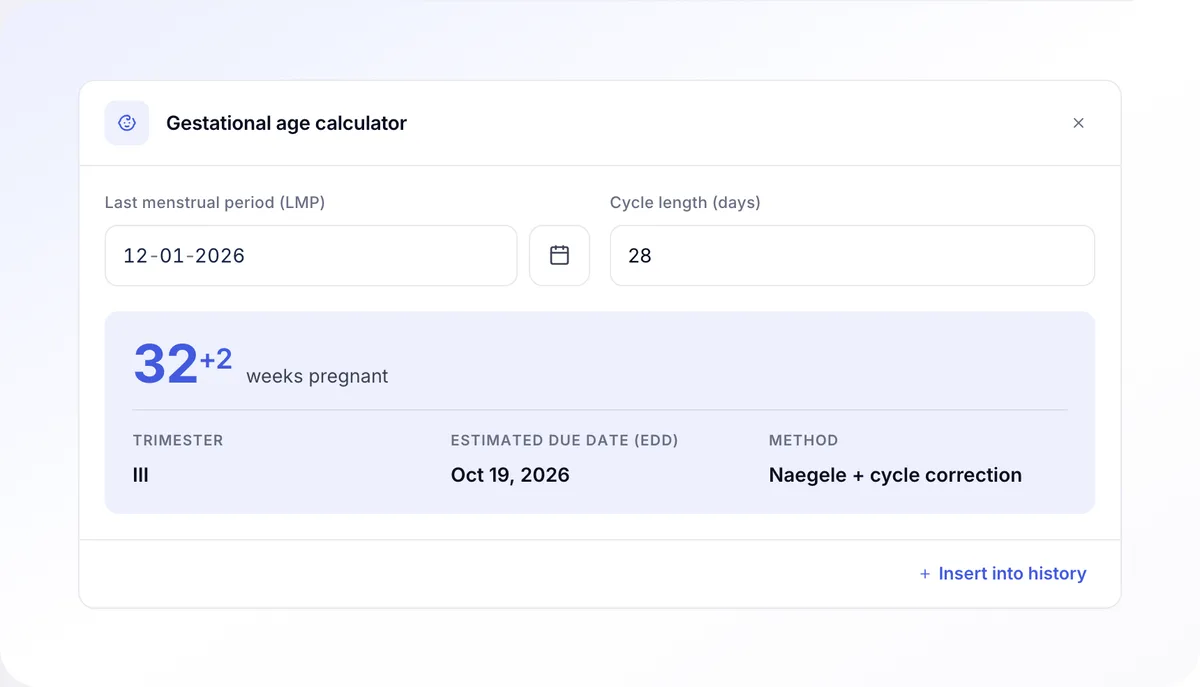
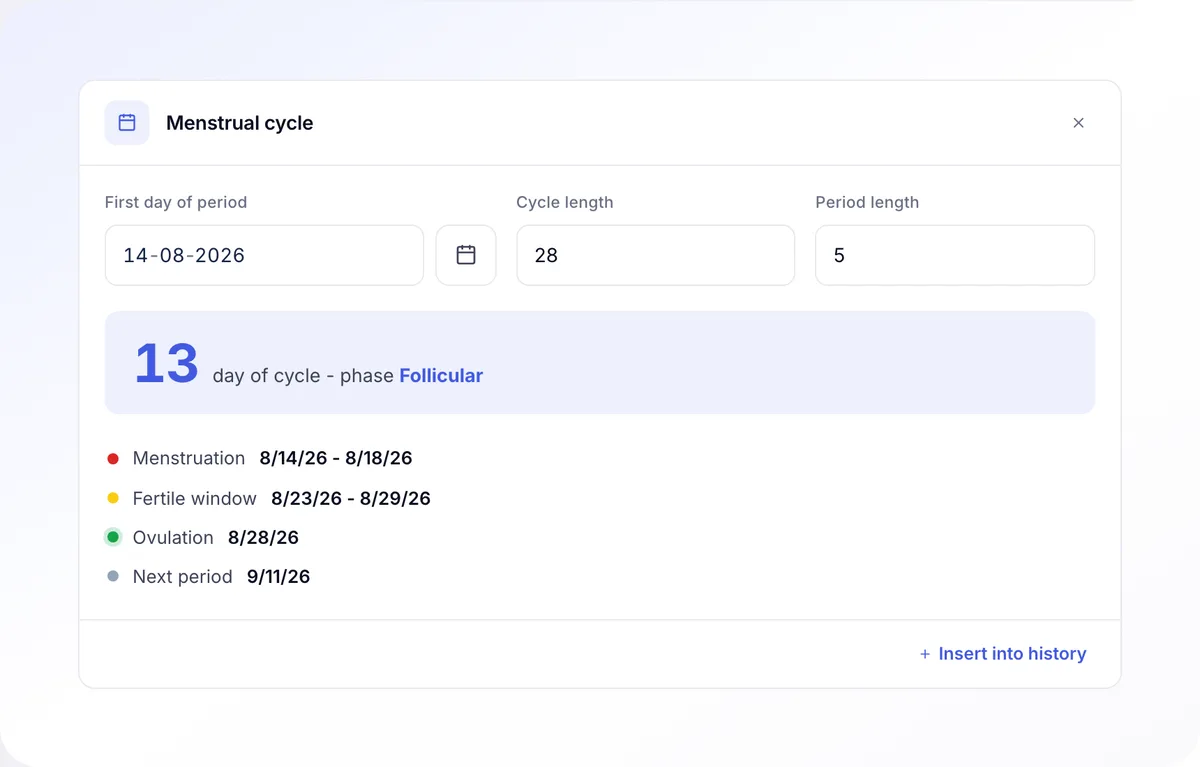
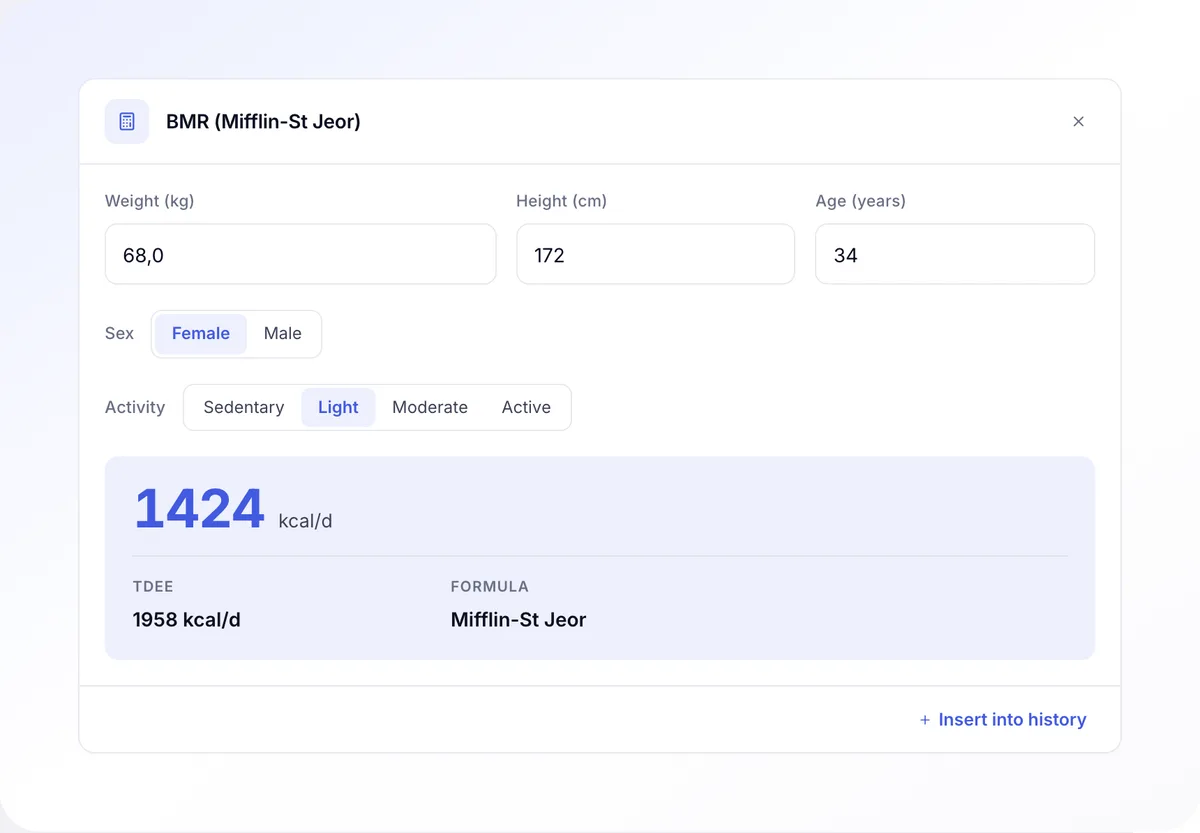
Pregnancy age calculator Weight and BMI curve in pregnancy Cycle and menstrual record Ultrasound report templates Prenatal screening record

Dentistry

Coming soon

Dental module with an FDI tooth chart and treatment plan. Designed with 3 dental practices.

FDI tooth chart (primary and permanent teeth) Treatment plan with cost estimate Prosthetics record Before/after photo documentation

Pediatrics

Coming soon

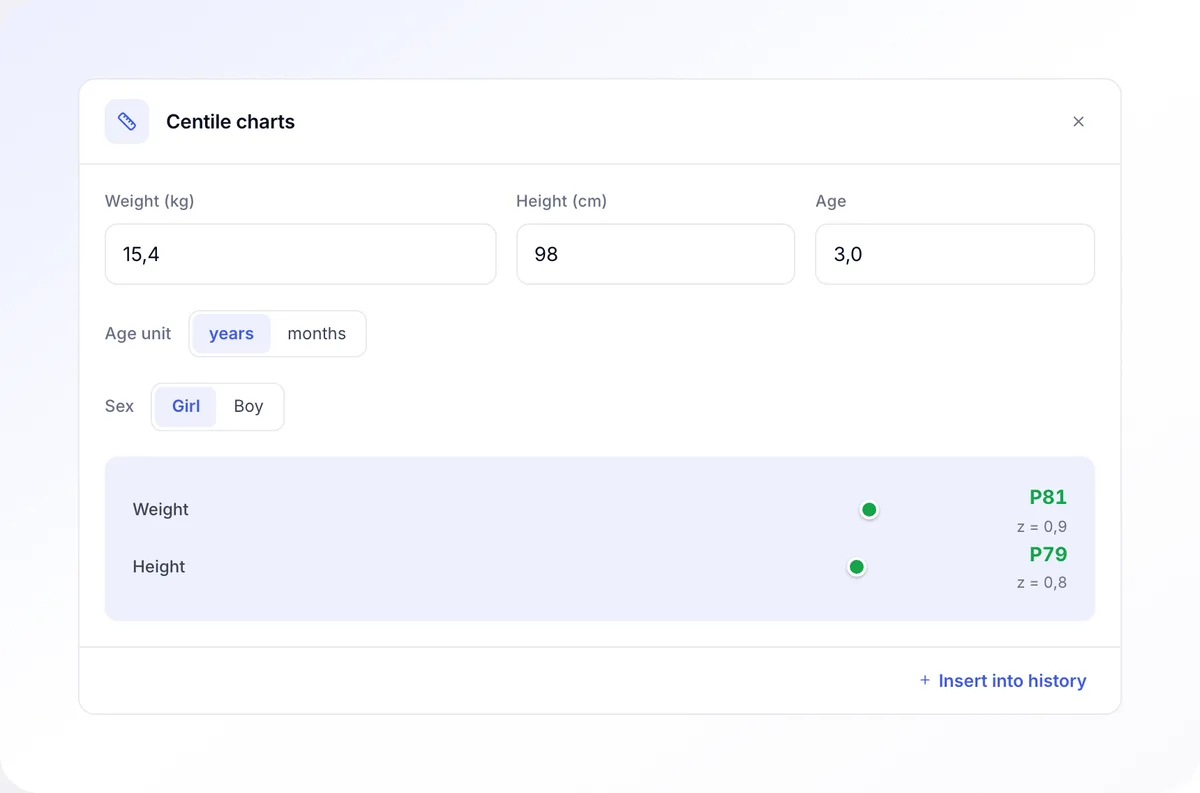
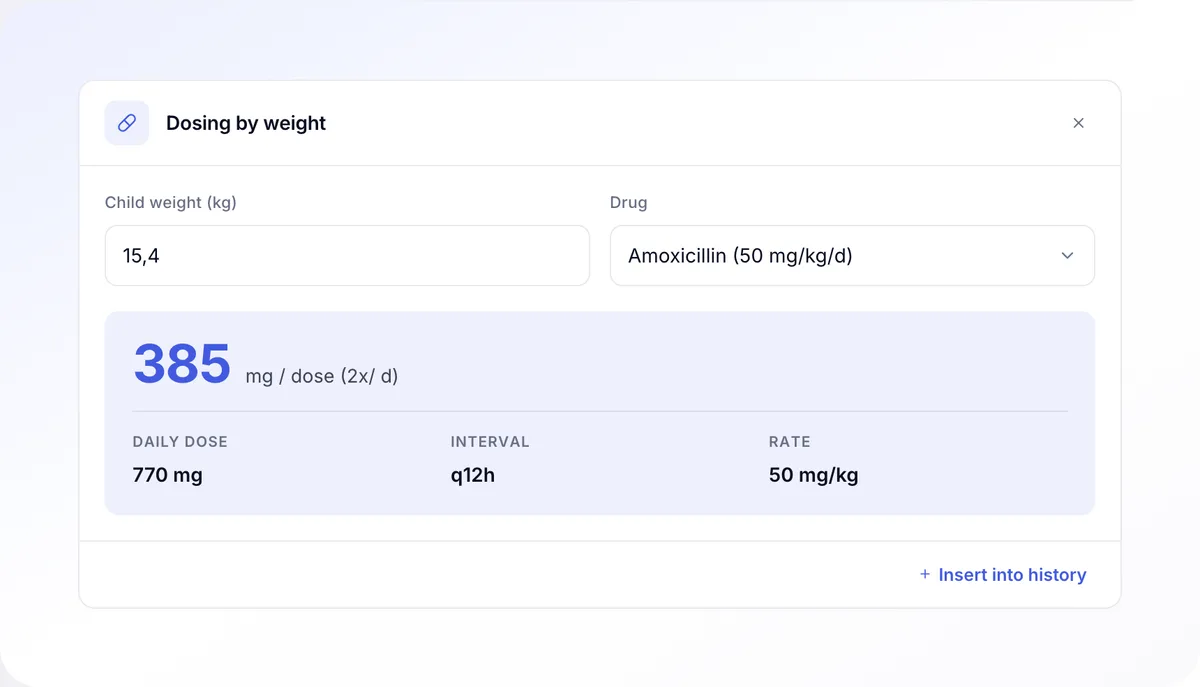
Pediatric module with weight-based dosing calculators and growth percentile charts. No mental math.

Weight-based dosing calculator Height and weight percentile charts National vaccination schedule Pediatric well-child visits

Psychiatry and psychotherapy

Coming soon

Psychiatry module with standard diagnostic scales embedded in the visit form.

PHQ-9 (depression) GAD-7 (generalized anxiety) MADRS (Montgomery-Åsberg) 30-year document retention

Cardiology

Coming soon

Cardiology module with risk scales and ECG, echo, Holter attachment handling.

CHA₂DS₂-VASc score HAS-BLED score Framingham Risk Score ECG, echo, Holter attachments

More specialties

Planned

The core (scheduling, booking, billing, reviews) already works in any practice, including treatment rooms. Further specialty modules are built based on demand.

Aesthetic medicine Cosmetology Physiotherapy Orthopedics Dermatology Endocrinology
Plans and insurers

Simple insurance billing.

No more settling insurers by hand in a spreadsheet.

  • Patient tag in the visit form: Insurer / Private / Public.
  • Automatic substitution of the insurer's price list to the visit.
  • Monthly billing report per payer, ready to sign.
  • Automatic e-invoice per insurer, in the format your country requires.

Reception saves 10-15 hours of work per month

zenmed.app/billing
Insurance billing and invoicing in ZenMed with per-payer breakdown and automated invoices, desktop view
Billing and invoices in ZenMed, mobile view
Booking portal Desktop practice software Spreadsheets Paper records In-house tool Another cloud system Hospital module Booking portal Desktop practice software Spreadsheets Paper records In-house tool Another cloud system Hospital module Booking portal Desktop practice software Spreadsheets Paper records In-house tool Another cloud system Hospital module
Migration from your current system

We move you from any system. Free of charge.

Data migration, team training, parallel work for a week, final cutover to the new system. All on our side.

6 migration steps
0 days of downtime
No charge in paid plans
1
Audit
of your current system and configuration
2
Export request
of data from your previous system
3
Account setup
ZenMed Pro, no long-term commitment
4
Data import
remote, by us, every table validated
5
Team training
reception, doctors, parallel work
6
Final cutover
Termination of the previous contract
Who it serves

Every role in the practice sees what they need.

Owner
  • Clear plans, predictable annual cost.
  • Tag patients by payer: insurer, private, public. Automatic e-invoice per payer.
  • Modules tailored to your doctors' specialties.

As a pilot clinic, we have been testing ZenMed from day one. We have finally found a system that fits all our needs.

Tomasz Sokół
Tomasz Sokół
Owner · Medicus Center
Manager
  • Full schedule with conflicts, time-off and a waitlist.
  • Doctor payouts, commissions, e-invoicing, payment terminal.
  • Operational and financial reports ready every month.
  • Direct contact with your account manager.

Less firefighting. The schedule with conflicts and time-off in one view, operational reports ready every month.

Joanna Turzyniecka
Joanna Turzyniecka
Manager · Medicus Center
Doctor
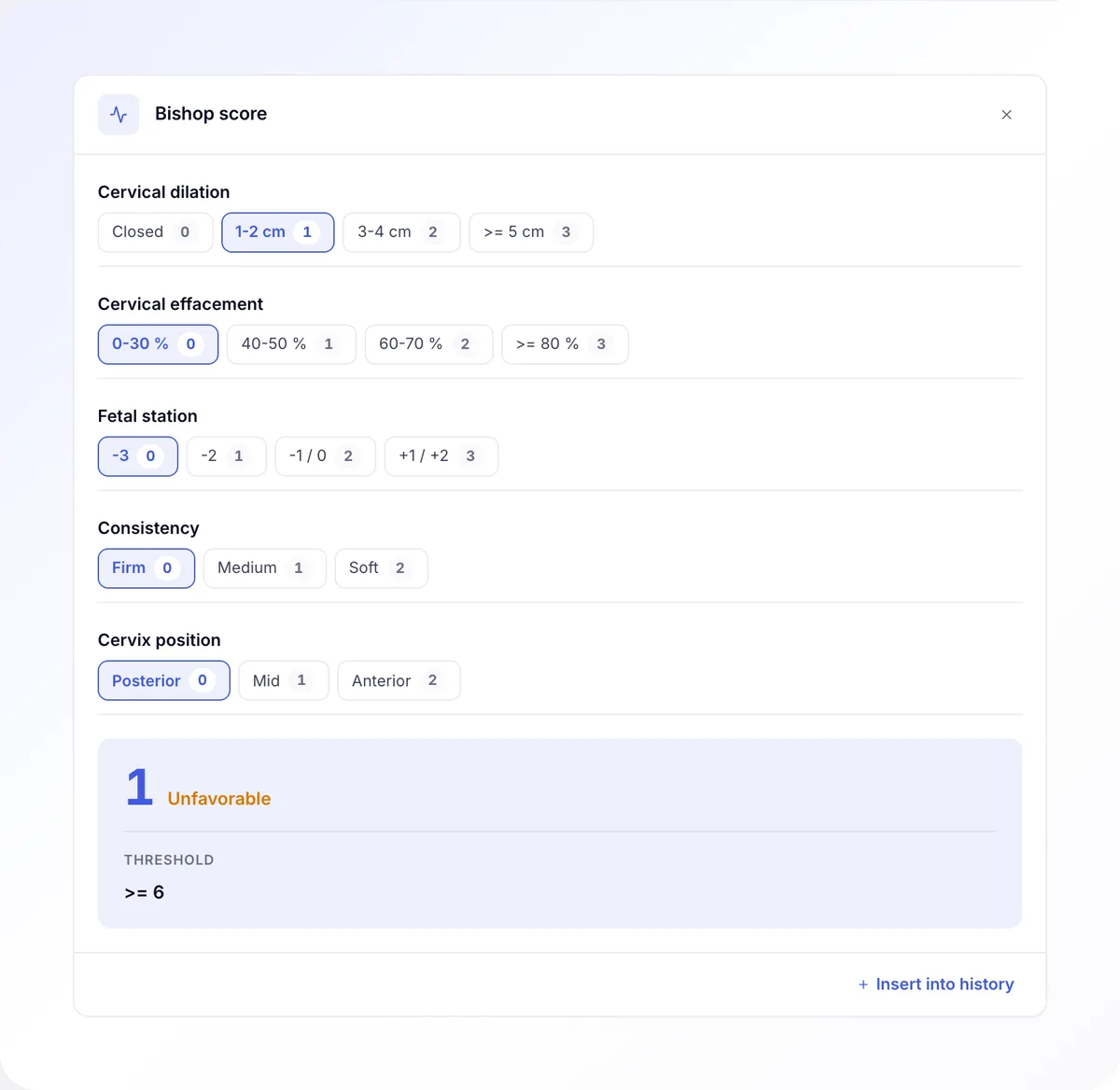
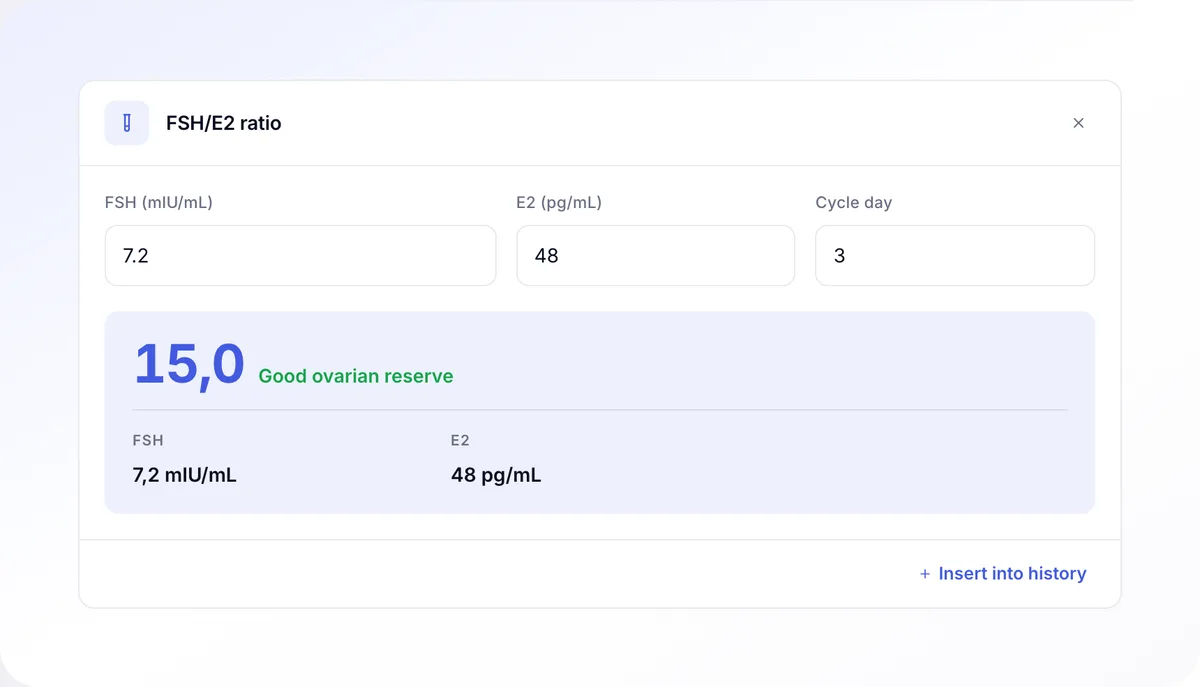
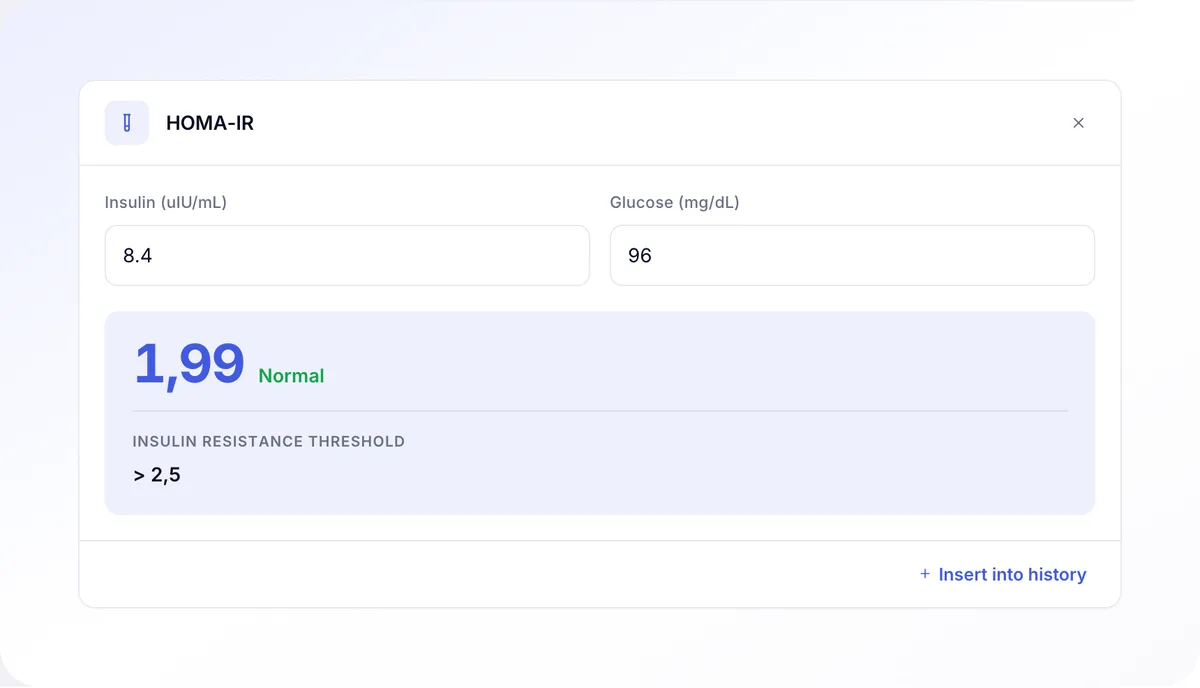
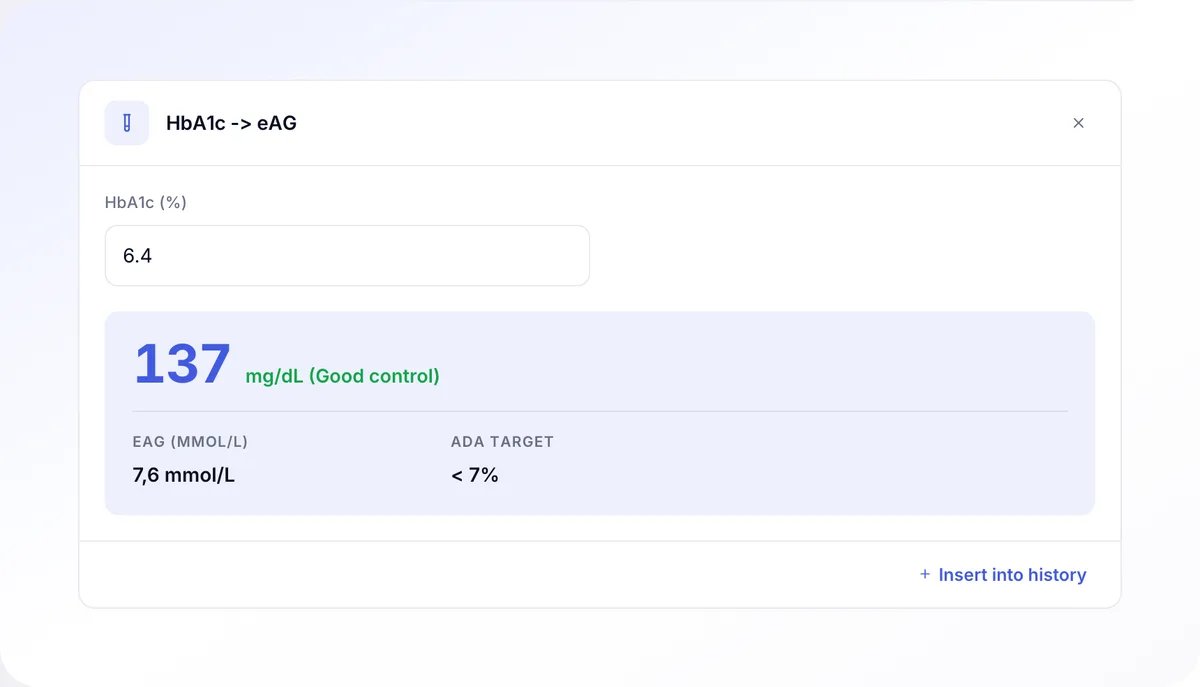
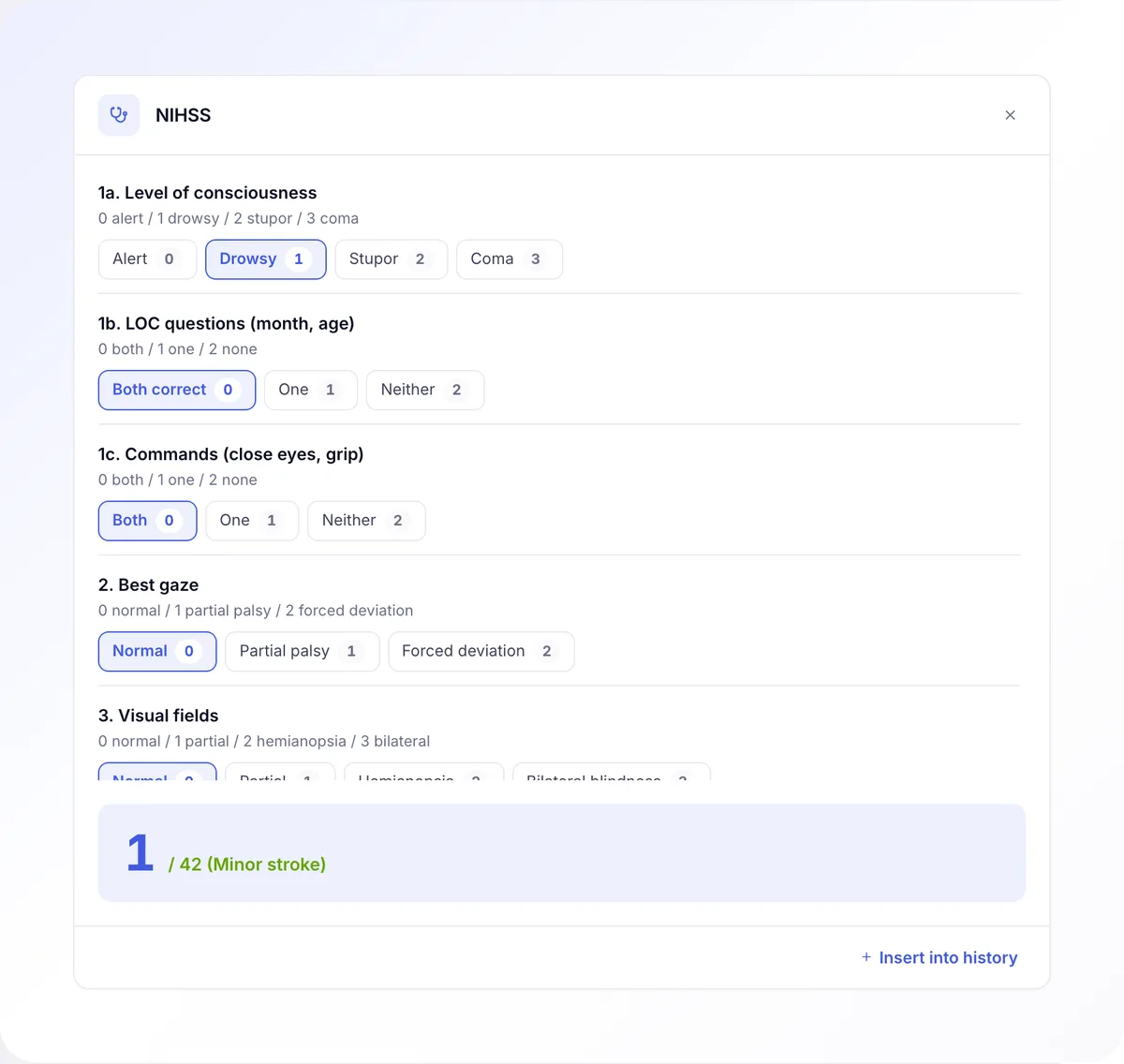
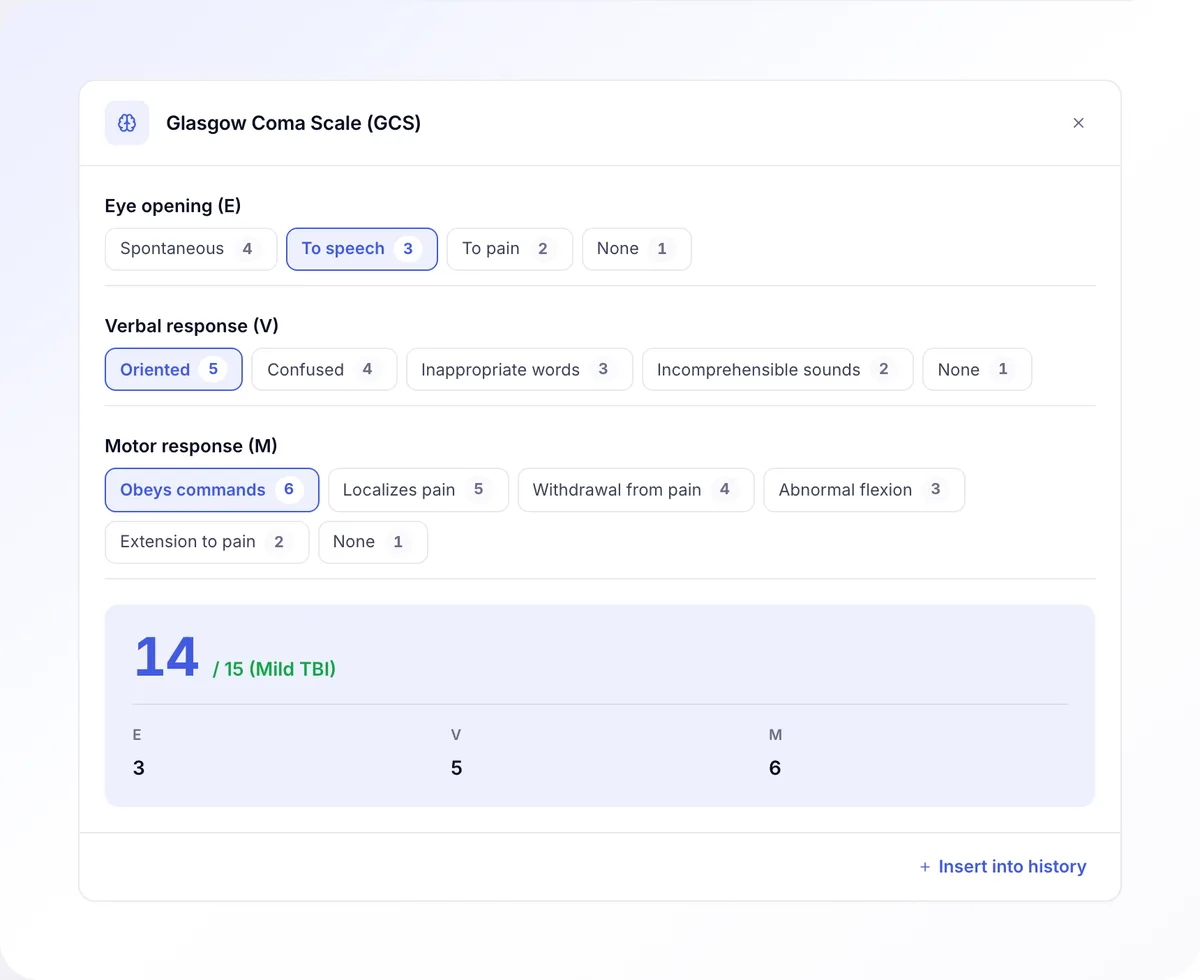
  • Visit form with templates for your specialty and medical calculators.
  • e-prescription, e-referral and electronic sick leave in one window.
  • Smart search across patients, visits and documents in one field.
  • Access from laptop, tablet and phone in one session.

Gynecology templates and medical calculators at hand. Fewer clicks during the visit, less catch-up after hours.

Emilia Wojno-Szumowska
Gynecologist · Medicus Center
Reception
  • Schedule with drag-and-drop appointments, waitlist, blocks, recurring visits.
  • Smart search across patients, visits and documents in one field.
  • Automatic SMS and email reminders.

I find a patient, visit and document in a single field, and SMS reminders go out by themselves. The day at reception is simply calmer.

Agnieszka Tchurzewska
Reception · Medicus Center
Growing clinic
  • Support for multiple locations, specialties and payment models.
  • API and webhooks included for CRM, accounting and marketing automation.
  • RBAC with 10 predefined staff roles.
  • Immutable audit log, GDPR compliant.

Our clinic is growing and the system keeps pace. We do not waste time on manual processes and can focus on what matters.

Tomasz Sokół
Tomasz Sokół
Owner · Medicus Center

Security and trust

Data security is our priority.

Patient records need particular care. Below we describe where the data is stored, who can access it and which compliance documents you receive.

GDPR Per-practice data isolation AES-256 encryption Servers in Poland Immutable audit log

Most practice systems split one application into subdomains, so every practice sits in the same tables and only the code keeps them apart. Here the database keeps them apart: every table holding patient data carries its own access policy, and the role the application runs under has no permission to bypass it.

Even a bug in the code will not show you another practice data, because the query simply will not return it.

Every read, edit and export of patient data is written down with the time, the user and the IP address. Merely opening a record leaves a trace too.

The application has no permission to change or delete those entries, and consecutive rows are bound by a SHA-256 hash chain, so removing one leaves a visible gap. You browse the log yourself, filtered by staff member, patient and date, without asking us for an extract.

10 ready-made roles with separated access:

  • reception cannot see medical records,
  • marketing cannot see patient data,
  • accounting works on billing.

Login can be secured with a second factor, mandatory for every account that reaches patient data, and access can be narrowed to the practice network. Enterprise plans support SSO via SAML, OIDC and Azure AD.

The database, files and backups are located in Poland, and medical data does not leave the European Union. TLS 1.3 in transit, AES-256 for data at rest.

We name the one non-EU party before you ask: Cloudflare sits in front of the application and filters traffic, but stores no data. Any change to the sub-processor list is announced 30 days ahead and you may object to it.

Daily backups, stored in two locations within Poland. Data is restored to a chosen day in the past, not just to last night.

You do not run the backups yourself and they do not depend on somebody at the practice remembering them.

The Article 30 processing register is usually written once in a word processor and starts ageing with the first system update. Here it is generated from the database itself: a field marked as personal or medical data lands in the register automatically.

A new feature therefore cannot appear in the system and disappear from the documentation you show at an inspection.

After termination you get an export of all your data in JSON and CSV within 30 days, and once you confirm receipt we erase it within the following 60.

The data processing agreement is signed at onboarding, and you receive the data protection impact assessment (DPIA).

Pricing

Flexible plans

No card required

Free

On request
  • 1 specialist
  • 90 visits per month
  • Up to 120 patient records
  • EHR, e-prescription, e-referral, electronic sick leave
  • National e-health integrations, live in Poland and built for your region on request
  • Patient profile and visit history
  • Online booking widget
  • Automatic e-invoicing
  • Reports and analytics
  • Reimbursement and dosage hints, annual prescriptions
Request a quote

Start

On request
  • Everything in Free
  • No limits
  • Automatic e-invoicing, sales and cost invoices
  • Reports and analytics
  • Specialist payouts
  • Reimbursement and dosage hints, annual prescriptions
  • Visit note templates
  • Tablet consent signing and Google reviews
  • Waiting list and patient blocklist
Request a quote

Pro

On request
  • Everything in Standard
  • Automatic voice notes from the visit and hints drawn from them
  • Inventory of supplies and drugs
  • Room and equipment utilization tracking
  • Multiple locations in one account
  • Dedicated account manager
  • Booking API and custom integrations
  • Priority support SLA
Request a quote

SMS bundle (1,000)

Top up SMS for your practice. Billed separately per location.

On request

Rates are quoted per specialist per month, in your currency, once we know the size of the team and the country you operate in. Every paid plan includes migration and training.

Enterprise

For large networks and medical institutions.

For large networks, hospitals and medical institutions with specific requirements.

Request a quote
Dedicated server (on-premise or private cloud)
Custom product development track
Priority custom changes in the application
SLA 99.99% with contractual penalties
SSO login (SAML, OIDC, Azure AD)
DPA, security audits, compliance reports
Dedicated account manager
Data migration from any system
FAQ

Frequently asked questions.

Yes, with one distinction worth making before you sign anything.

The core is country-neutral: the appointment calendar, patient records, roles with an immutable audit log, online booking, reminders, operational reports and the API behave the same wherever the practice is. That part we switch on in days.

Three things depend on the country: electronic prescribing, insurance eligibility checks and the mandated e-invoicing format. Each one is an integration with a national service. All three are live in Poland, and connecting the equivalent in your region is onboarding work rather than product work. We will tell you which of the three exists where you operate before you commit to anything.

Patient data is stored in the European Union and does not leave it, which for a practice bound by GDPR is usually the shortest part of the conversation. We quote in your currency.

Yes, on the Enterprise plan: a dedicated server, either on-premise or in a private cloud you control. It is the same codebase as the shared service, deployed separately, so you are not running a fork that drifts away from the product.

What comes with that plan and matters to a security review: an SLA of 99.99% with contractual penalties, single sign-on, a custom product development track for changes specific to your deployment, and a dedicated account manager rather than a shared queue.

On the shared service the database, the files and the backups sit in the European Union and do not leave it, which for most clinics settles the question without a separate deployment.

Which of the two fits is a cost conversation as much as a technical one, and we would rather have it before a pilot than after.

Migration from your current system to ZenMed is free and is run by our team, with daily status check-ins. We have moved data out of booking portals, desktop practice software, in-house tools and spreadsheets.

What we move:

  • patients: national ID number and contact details
  • visits and documents: e-prescriptions, e-referrals, ultrasound scans
  • invoices, commissions and service codes
  • historical records, for as long as your country requires them to be kept

How long it takes: 5-15 business days on average. A 3-doctor clinic 8-12 days, a 16-doctor practice 12-18 days.

For the first week you work in parallel in both systems: new visits in ZenMed, the old system as a backup. Zero interruption in patient care.

Training (included in every paid plan, together with implementation and data import):

  • reception: 1 day of training plus video recordings
  • doctors: 1 day plus a 1-on-1 check-in after a week

For the first 3 months a dedicated account manager replies within an hour, then within 2-4 hours.

One rate per active specialist per month, plus optional SMS packs. There are four tiers, and the rate per specialist falls as the team grows.

We quote in your currency once we know two things: how many specialists will use the account, and which country you operate in. The country matters because taxes and the national integrations differ, not because the software does.

Included in every paid plan: integrations, telehealth, API, support, team training and migration from your current system. No riders and no separate charge for the API.

Quoted separately: SMS, billed per practice. You only pay for it if you use it.

ZenMed is month-to-month, with no cancellation penalties.

Yes. The online booking widget is in every plan, including the free one.

How it works: you embed it on the practice website via iframe (one line of code), then set up available services, specialists, business days and time slots. The patient books a visit 24/7 and gets automatic SMS reminders (SMS is a separate add-on per practice, quoted with your plan).

What else the widget does:

  • optional online payment up front: Stripe, PayU, Przelewy24 or classic bank transfer
  • telehealth through a built-in GDPR-compliant video channel
  • recurring visits
  • mobile-first interface

From the pilot: 65-75% of patients book online after the widget is in place, and reception saves 10-15 hours per week.

ZenMed stands out from the practice systems clinics run today in four concrete ways:

  1. Specialty modules. 5 dedicated modules (gynecology, pediatrics, dentistry, psychiatry, cardiology) with their own calculators (Apgar, BMI, eGFR, BSA, WHO scale) and protocols. Competitors treat every doctor the same.
  2. Global search. Patient, visit and document in one search field (fuzzy match on national ID number, phone, email). Competitors have separate searches in each module.
  3. Insurer tagging. Every insurer you work with, with automatic e-invoicing per payer. Competitors either do not tag payers, or do it by hand in a spreadsheet.
  4. Pricing you can see before you talk to us with no add-ons for telehealth, e-invoicing or API, and SMS as a separate, openly priced item. Most vendors in this market publish no prices at all.

No vendor in this market has all four at the same time.

From a single doctor to a multi-specialty network. The bigger the team, the lower the rate per specialist.

  • A single doctor: the free plan, 90 visits per month and up to 120 patient records
  • Small practice, 1-3 specialists: Start, with full e-invoicing, reports, specialist payouts and no limits
  • Mid-size clinic, 5-16 specialists: Standard - most popular, with clinical tools, insurance billing and the waiting list
  • Multi-specialty network, 20+ specialists: Pro, with multiple locations in one account, inventory, custom integrations and priority SLA
  • Large networks, hospitals, institutions: Enterprise - on-premise server, SSO via SAML, OIDC or Azure AD, SLA 99.99%, dedicated account manager

We work with aesthetic medicine, physiotherapy, dentistry, psychiatry, gynecology, pediatrics, cardiology, dermatology, orthopedics and other specialties. The pilot at Medicus Center clinic shows effectiveness in a production environment.

ZenMed is not built for public hospitals on legacy state systems. It is for the private market, with insurance billing and automatic e-invoicing.

This is a selection of the most common questions.

The full base answers implementation, pricing, data security and daily work. You can also ask your own question during a short online demo.

Free consultation

Book a short online demo.

We will show the system on examples from your specialty and answer your team's questions.

  • Demo tailored to your specialty
  • No commitment. You decide whether to go further
  • We open the account on request, the free plan included

Thank you for the chance!

We have received your request. We will reach out to arrange the demo or open your account.